Fire suppression system for server racks and IT cabinets
AeroXFireshield automatically detects and suppresses fire inside compatible server racks, network cabinets and telecom enclosures. Protection acts directly around power supplies, PDUs, switches, routers, UPS units and critical connections.
Local fire protection for a server rack or IT cabinet.
One rack can support essential services
An IT rack often contains compact equipment with very high operational value.
Service interruption
A fire may stop network, applications, telephony or video surveillance.
Loss of availability
One failed system can affect many users or sites.
Data and configuration
Servers, switches and routers contain essential settings.
Replacement delays
Some equipment and configurations take significant time to rebuild.
Rapid spread
Cables, plastics and airflow can accelerate fire propagation.
Operating cost
IT downtime often greatly exceeds the value of the rack.
Which equipment can start a fire?
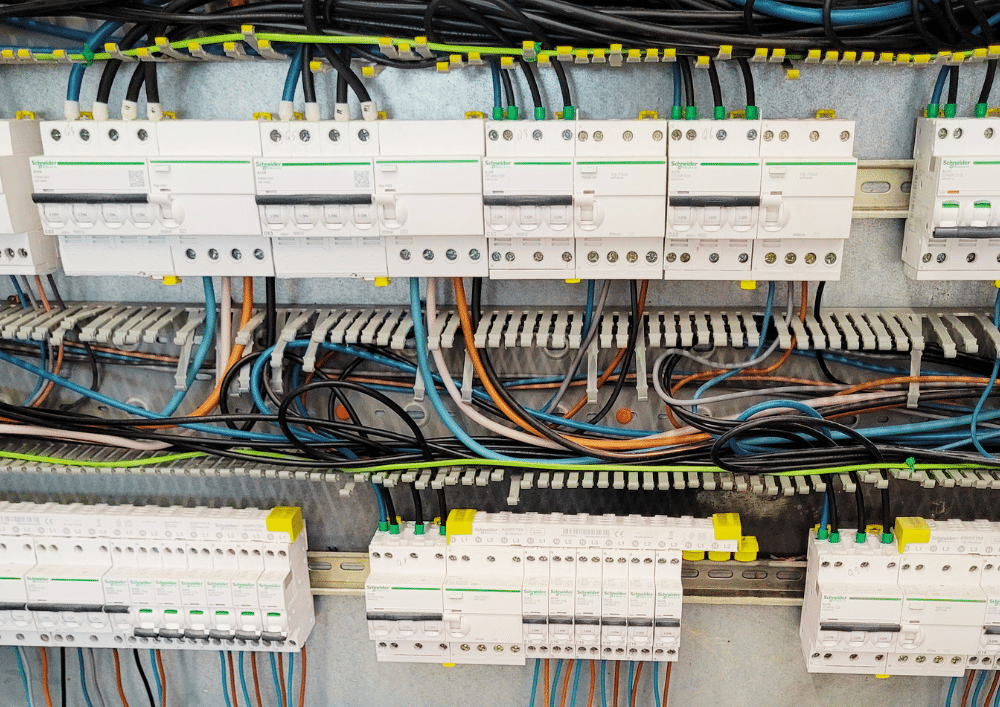
Racks combine power electronics, backup supplies, dense cabling and permanent airflow.
Server power supplies
A degraded or overloaded unit may create a hot spot.
PDUs and power strips
Overload, poor contact or component failure may cause overheating.
UPS systems
Power components and internal batteries must be assessed by technology.
Switches and routers
Boards, power supplies and fans operate continuously.
Network and power cabling
Dense bundles can hide faults and support propagation.
Fans
Blocked fans or poor airflow increase temperature.
Connectors and sockets
Poor contact may create resistance and local heating.
Dust and filters
Contamination reduces cooling and promotes hot spots.
Server rack or server room: which strategy?
Rack protection acts close to the source. Room protection treats the full space and hazards outside racks.
Protection inside the rack
- Detection above power and IT equipment
- Automatic activation
- Agent quantity matched to rack volume
- Coordinated ventilation stop where required
Protection of the server room
- Treats several racks and systems
- Includes raised floors and ceiling spaces
- Requires opening and ventilation assessment
- May complement local rack protection
Detect heat and interrupt combustion inside the rack
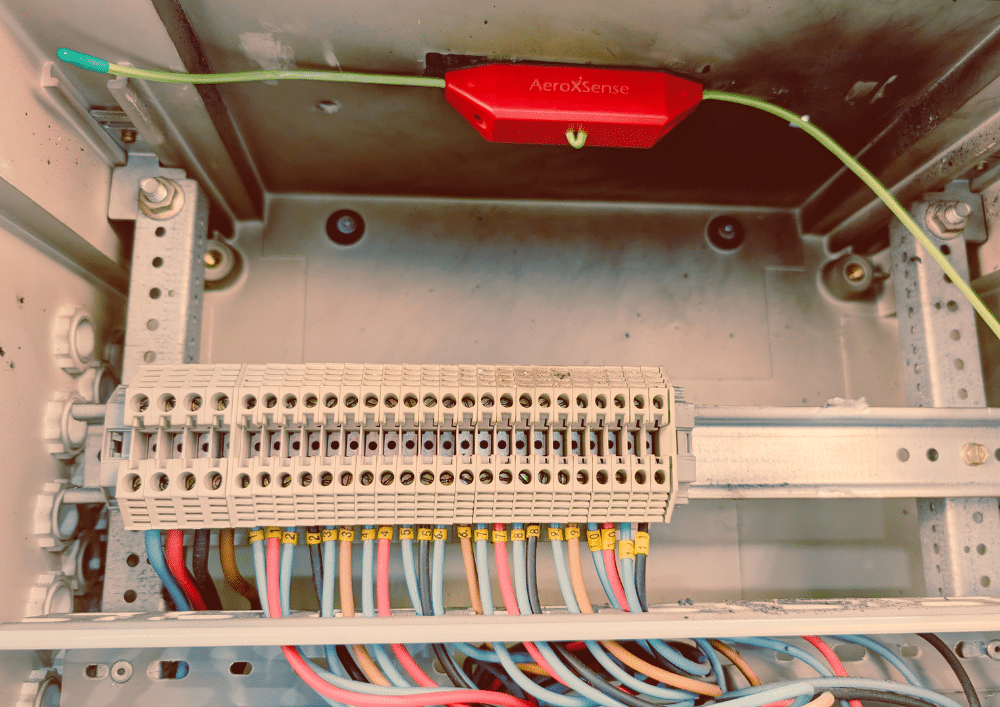
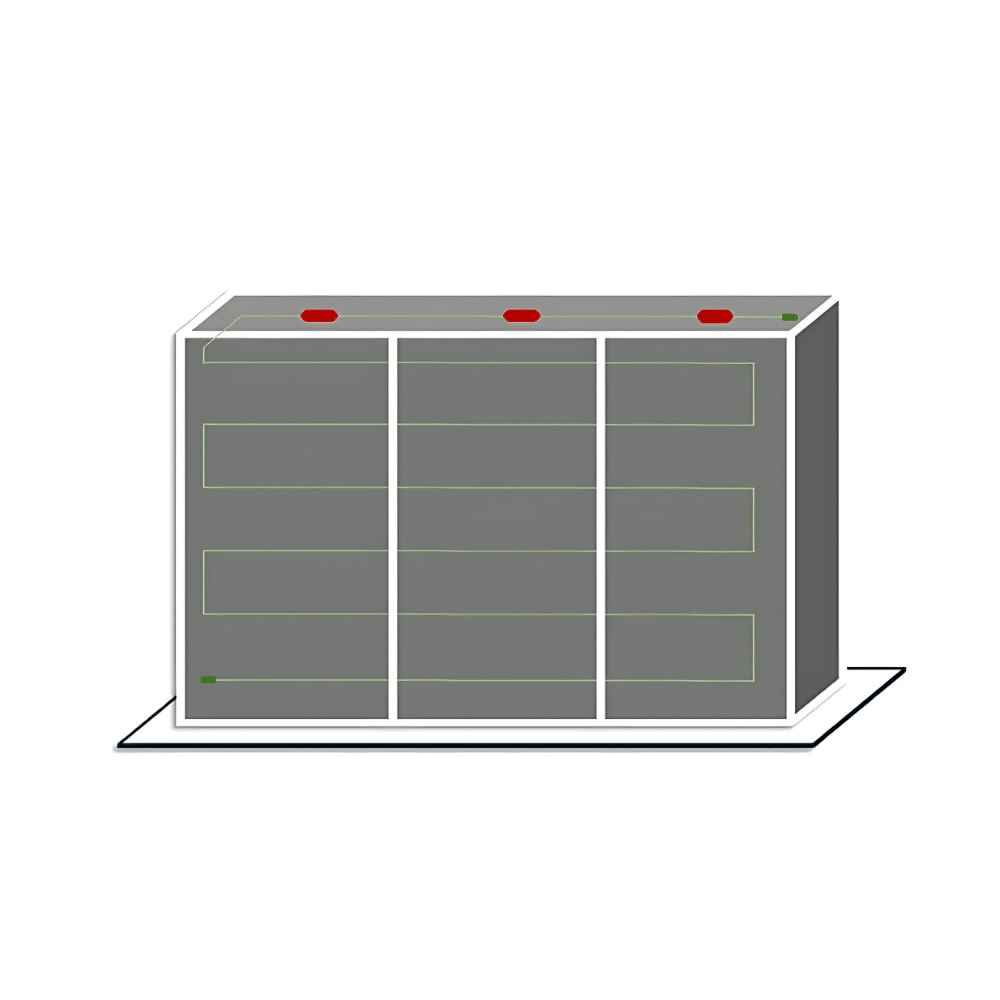
AeroXFireshield combines linear thermal detection with a condensed-aerosol generator sized for the rack or compartment.
Hot-spot detection
Heat-sensitive cable is placed above power supplies, PDUs, UPS units and selected equipment.
Ventilation shutdown
In highly ventilated racks, the interface stops fans or the extractor.
Generator activation
The generator distributes aerosol inside the stabilised volume.
Flame interruption
The particles mainly interrupt the chemical chain reaction sustaining combustion.
Ventilation shutdown is essential in highly ventilated racks
Without airflow shutdown, aerosol may be extracted or dispersed too quickly, reducing effectiveness.
Thermal detection → stop command to fans or extractor → optional shutdown confirmation → generator activation → status reporting to supervision. Exact timing and control logic must be defined in the project design.
Volume alone is not enough for an IT rack
Ventilation, perforated doors, cable density and compartments directly affect model selection.
Integrate protection with the IT infrastructure
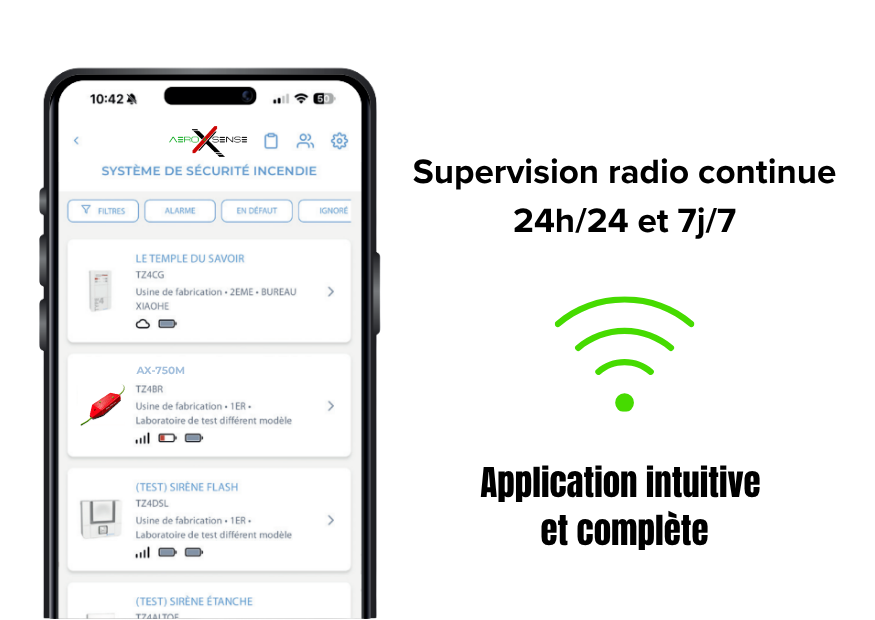
Depending on the project, AeroXSense interfaces can stop ventilation, report activation or control an external device.
Fan/extractor shutdown
Essential command for highly ventilated racks.
Activation reporting
Send information to supervision, BMS, alarm or IT monitoring.
Dry contact
Simple interface with PLC, transmitter or technical panel.
Power shutdown
Possible control of a contactor or compatible external device.
Radio and cloud
Status reporting and notifications depending on connected versions.
Multi-site management
Supervision of several racks or rooms depending on architecture.
Which approach for each rack type?
This table provides pre-selection guidance. Final validation depends on volume, airflow and actual configuration.
| Configuration | Likely approach | Key consideration |
|---|---|---|
| Small lightly ventilated network cabinet | Pro range depending on volume | Check perforated doors and cabling |
| Ventilated server rack | Pro or Industry | Ventilation shutdown required during activation |
| Rack with integrated UPS | Specific assessment | Analyse power, batteries and compartments |
| Outdoor telecom cabinet | Pro or Industry | Check sealing, ventilation and environment |
| Several racks in one room | Local or room protection | Compare architectures |
| Highly open rack | Compatibility to confirm | Assess openings and agent loss |
Mistakes to avoid
Control of airflow and openings is critical to effectiveness.
Which sites use critical IT racks?
Local protection is relevant whenever a rack supports essential or difficult-to-replace services.
SMEs and headquarters
Servers, networks, telephony and backups.
Data centres
Technical racks, network cabinets and auxiliaries.
Hospitals
Networks, business systems and critical infrastructure.
Public authorities
IT racks, video surveillance and telephony.
Industry
Production networks, supervision and industrial IT.
Hotels and retail
Management, security, booking and communications.
Telecom
Network cabinets, transmission and remote sites.
Video surveillance
Recorders, PoE switches and supplies.
Multi-branch organisations
Racks distributed across several sites.
Logistics
Network, WMS, automation and communications.
Education
Servers, networks and digital equipment.
Critical infrastructure
Transport, energy and sensitive technical sites.
Build a coherent strategy around the IT rack
Electrical cabinets
Explore protection for professional technical enclosures.
Electrical rooms
Assess room-wide protection for several racks or systems.
Sizing
Select the model by volume, ventilation and compartments.
Interfaces and shutdown
Ventilation stop, reporting, dry contact and supervision.
Condensed aerosol
Understand how the extinguishing agent is generated and works.
Lithium batteries
Separate electronics protection from battery risk.
Professional ranges
Compare Pro and Industry models.
Control cabinets
Compare with automation and process-control equipment.
Frequently asked questions about server-rack fire protection
Comment protéger une baie informatique contre l’incendie ?
La protection associe une maintenance régulière, une détection thermique positionnée au-dessus des zones sensibles et un générateur dimensionné selon le volume, la ventilation et les ouvertures.
Faut-il arrêter la ventilation lors de l’activation ?
Oui pour une baie fortement ventilée. L’arrêt des ventilateurs ou de l’extracteur est nécessaire afin de limiter l’évacuation de l’aérosol.
Comment arrêter automatiquement l’extracteur ?
Une interface commande un relais, contacteur ou entrée de contrôle externe. Le schéma, la temporisation et la logique doivent être validés pour le projet.
Peut-on protéger une baie serveur avec portes perforées ?
Oui dans certaines configurations, mais les ouvertures et les flux d’air doivent être étudiés.
Le système protège-t-il toute la salle serveur ?
Un système installé dans une baie protège principalement son volume. La salle complète nécessite une étude distincte.
Peut-on protéger une baie avec UPS intégré ?
Oui sous réserve d’analyse de la puissance, de la ventilation, des compartiments et de la technologie des batteries.
Le système coupe-t-il automatiquement les serveurs ?
Pas directement. Une interface peut commander un organe externe, mais le scénario d’arrêt doit respecter les contraintes IT.
Peut-on envoyer l’activation vers la supervision informatique ?
Oui, généralement par contact sec, automate, transmetteur ou interface adaptée.
L’aérosol est-il compatible avec les équipements électroniques ?
L’objectif est de limiter les dommages liés au feu. Après activation, les équipements doivent être inspectés, nettoyés et remis en service par des professionnels.
Comment dimensionner une baie fortement ventilée ?
Il faut mesurer le volume, identifier les ouvertures, calculer les pertes potentielles et prévoir l’arrêt de la ventilation au moment de l’activation.
Faut-il plusieurs générateurs dans une grande baie ?
Oui si le volume, la hauteur, la largeur ou les compartiments dépassent la capacité d’une seule unité.
Quelle différence entre baie réseau et baie serveur ?
La baie serveur contient généralement davantage d’équipements de puissance et de ventilation, ce qui peut augmenter les contraintes de dimensionnement.
Peut-on superviser plusieurs baies sur plusieurs sites ?
Oui avec les versions et services adaptés.
Que faire après une activation ?
Mettre l’installation en sécurité, identifier la cause, inspecter, nettoyer et valider la remise en service.
Quelles informations transmettre pour une étude ?
Dimensions, photos, ventilation, type de portes, équipements présents, UPS, batteries, flux d’air et besoins de report ou de coupure.
Do you have a server rack or IT cabinet to protect?
Send dimensions, photographs, openings, ventilation, installed equipment, UPS systems and reporting or shutdown needs. We will define the model, detection route and ventilation-control solution.
